

Overview – Scheduling
Scheduling is an essential component of backend systems, but it usually comes with layers of hidden complexity. Whether it’s generating daily reports, syncing data, performing periodic cleanups, or sending notifications, scheduling touches almost every application. As Java developers, we’ve all turned to familiar tools like Spring Boot’s @Scheduled annotation or Quartz for these needs. But when tasks fail, require state tracking, or involve human intervention, these traditional approaches can falter, leading to lost jobs, manual retries, and scaling headaches.
Temporal Scheduling
Temporal Scheduling is an open-source workflow orchestration platform that enables developers to build fault-tolerant, stateful workflows directly in code without relying on YAML configurations or external schedulers. At its heart, Temporal consists of Workflows, which act as long-running state machines, and Activities, which handle short-lived business logic.
That’s where Temporal comes in: it is a powerful, open-source platform designed specifically for building durable, reliable, and scalable workflows. In this post, we’ll explore how Temporal Scheduling redefines scheduling, moving beyond simple triggers to a system that guarantees execution, provides visibility, and handles failures gracefully. We’ll compare it to traditional methods, walk through a code example, and highlight why it’s a game-changer for modern applications.
How is Temporal Scheduling different? It ensures:
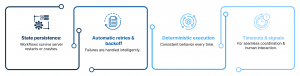
In essence, Temporal combines your Java (or Go, TypeScript) code with durable state management, automatic recovery, and built-in visibility. It’s not just a scheduler—it’s a complete orchestration engine.
What is Scheduling?
Scheduling involves triggering tasks at specific times or intervals. Examples include:
- Running a job every 15 minutes.
- Executing on a CRON-style schedule, like specific dates or times.
- Delaying a task for 10 minutes.
- Starting once a dependent workflow completes.
But real-world scenarios introduce challenges:
- What happens if the server restarts during a task?
- How do you safely retry failed executions without duplication?
- Can you modify or cancel schedules dynamically?
- How do you ensure only one instance runs in a distributed environment?
Traditional schedulers often struggle here, leading to brittle systems.
Traditional Scheduling in Spring Boot and Quartz
Spring Boot simplifies scheduling with a single annotation, making it easy to get started:
You can also use fixed delays or rates for more flexibility:
Unfortunately, Spring’s approach has limitations:
- Missed jobs disappear on app restarts.
- No built-in persistence or history tracking.
- Scaling is difficult because jobs are instance-bound.
- Retries require manual coding.
- No centralized controls like pausing or resuming.
For more advanced requirements, teams tend to use Quartz Scheduler, with its DB-backed persistence, clustering for high availability, and improved retry mechanisms. However, Quartz still requires significant setup, like XML or Java configurations, and lacks native support for complex, stateful workflows involving signals or human waits.
What Temporal Provides for Scheduling
Temporal elevates scheduling from mere timed triggers to durable, observable workflows with full control. It’s ideal for scenarios where reliability is non-negotiable.
Temporal’s Scheduling Model
With Temporal’s ScheduleClient and ScheduleSpec APIs, you can:
- Create, update, pause, or resume schedules dynamically.
- Define CRON expressions or fixed intervals.
- Persist schedule state, triggers, and executions in Temporal’s server.
- Leverage distributed, fault-tolerant guarantees.
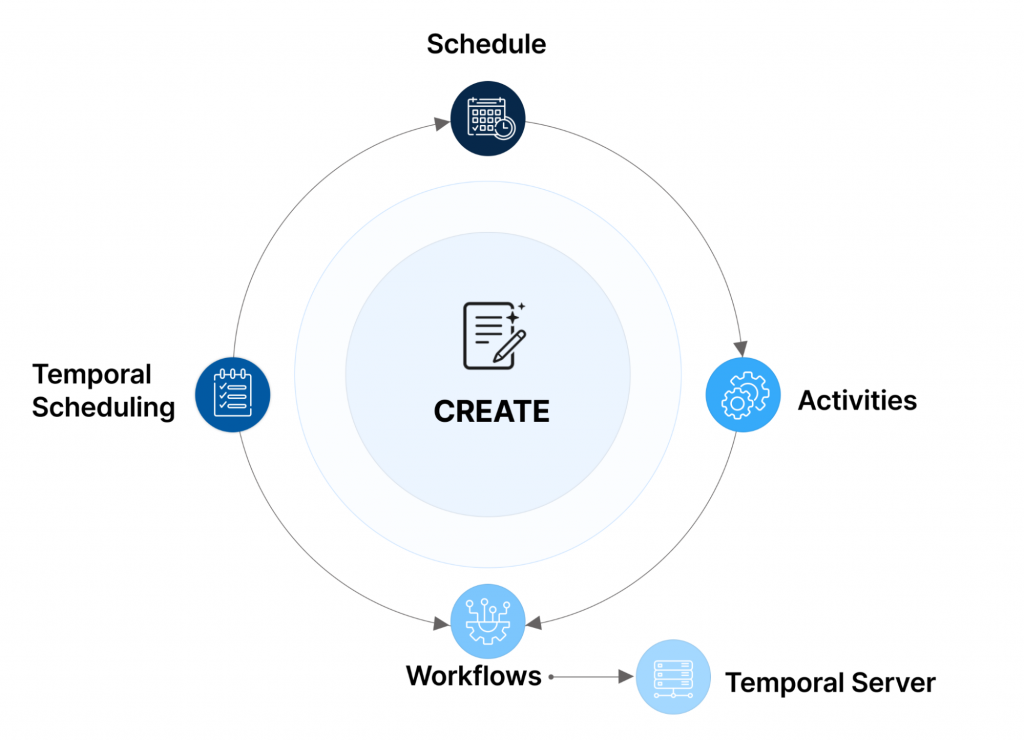
Important concepts include:
- Workflow: The actual logic, like sending emails or generating reports.
- Schedule: Defines when the workflow runs.
- Execution History: Tracks every run, making it retryable, observable, and cancelable.
Why Temporal Scheduling is a Better Solution
Temporal addresses the pain points of traditional schedulers head-on. Here’s a quick look at common problems and how Temporal solves them:
| Problem | Temporal Solution |
|---|---|
| App restart loses jobs | Workflows persist in the Temporal server |
| Retry failures manually | Automatic retry policies with backoff |
| AHard to scale | Scheduling is handled by the Temporal cluster |
| No audit/history | Full visibility through Web UI |
| Difficult to update | Modify schedules dynamically via API |
| No pause/resume | Built-in pause and resume support |
With Temporal, you shift from “fire and forget” to “schedule and guarantee,” ensuring tasks are completed reliably.
Comparison: Spring Scheduler vs. Quartz vs. Temporal
To see the differences clearly, let’s compare the three:
| Feature | Spring Scheduler |
Quartz |
Spring Scheduler |
|---|---|---|---|
| Persistence | None | DB-backed | Built-in durable state |
| Retries | Manual | Basic | Automatic with policies |
| Distributed / HA | No | Requires clustering | Native |
| Visibility / UI | No | Basic | Temporal Web UI |
| Pause/Resume | No | Yes | Yes |
| Dynamic updates | Restart required | API | API |
| Workflow state | Stateless | Job context only | Fully stateful |
| Complex workflows (human wait, signals) | Impossible | Custom | Native |
| Programming model | Annotation-based | XML/Java config | Plain Java/Type-safe API |
Temporal is unique in natively supporting stateful, complicated processes.
Code Sample: Scheduling in Temporal
Implementing scheduling in Temporal is straightforward with the Java SDK. Here’s a step-by-step example.
Step 1: Define a Workflow Interface
Step 2: Implement the Workflow
Step 3: Create a Schedule
This setup ensures your workflow runs every hour, surviving restarts and failures. You can also pause, resume, or update the schedule dynamically:
- Pause: scheduleClient.getHandle(“report-schedule”).pause();
- Resume: scheduleClient.getHandle(“report-schedule”).unpause();
Plus, monitor everything via the Temporal Web UI.
Summary
Temporal reimagines scheduling as a robust orchestration system that’s fault-tolerant, observable, and durable. While @Scheduled in Spring is fine for lightweight jobs and Quartz provides reliability, Temporal combines scheduling with state management, retries, and monitoring, all in plain Java code.
Key takeaways:
- Use Spring for lightweight jobs.
- Opt for Quartz when you need persistence and clustering.
- Choose Temporal for critical, long-running, or interdependent tasks. Since it is the future of reliable scheduling.
If you’re dealing with complex backend workflows, give Temporal a try. It might just make your scheduling woes a thing of the past.
Author’s Note: This article was supported by AI-based research and writing, with Claude 4.6 assisting in the creation of text and images.
Author

What is Temporal Scheduling, and how does it differ from traditional schedulers?
Temporal is an open-source workflow orchestration platform designed to build fault-tolerant, stateful workflows directly in code. Unlike traditional schedulers such as Spring Boot’s @Scheduled or Quartz, which can lose jobs on restart and lack native persistence, Temporal ensures state persistence, handles automatic retries with backoff, and provides full visibility through a Web UI.
Why is Spring Boot's @Scheduled annotation often insufficient for complex tasks?
While @Scheduled is excellent for simple, lightweight jobs, it struggles with reliability in production environments. It lacks built-in persistence, meaning missed jobs can disappear during app restarts. Additionally, it provides no audit history, makes manual retries necessary, and lacks centralized controls like dynamic pausing or resuming.
How does Temporal Scheduling handle scheduling differently?
Temporal treats scheduling as a durable, observable workflow rather than a “fire and forget” task. Using its ScheduleClient and ScheduleSpec APIs, developers can create, update, pause, or resume schedules dynamically. Because it runs on a Temporal cluster, it handles distribution and high availability natively, ensuring tasks are completed even if individual application instances fail.
When should I choose Temporal over Quartz or Spring Scheduler?
- Use Spring Scheduler: For simple, lightweight, non-critical background jobs where persistence and complex retries aren’t required.
- Use Quartz: When you need a more robust, DB-backed scheduler and basic clustering for high availability.
- Use Temporal: For critical, long-running, or interdependent tasks where state management, automatic failure recovery, observability, and complex coordination (like human interaction or signals) are necessary.
Can I modify a schedule in Temporal after it has been created?
Yes. Temporal provides an API that allows you to dynamically update, pause, and resume schedules without needing to restart your application. This offers significantly more flexibility compared to traditional approaches that often require code changes or application restarts to adjust timing.